
In today’s cloud-driven world, applications must grow seamlessly to meet user demand. As your business scales, so does the question of how to grow your infrastructure: should you add more servers or upgrade existing ones? Understanding horizontal scaling vs vertical scaling is essential for engineers, architects, and decision-makers building systems that perform reliably at any size. This guide explores both approaches, their trade-offs, and how to choose the strategy that fits your architecture and budget.
What Is Scalability?
Scalability describes a system’s ability to adapt and respond to changing demands without sacrificing performance. This goes beyond just handling growth—scalability encompasses the capacity to handle fluctuations in traffic, add resources efficiently, or gracefully reduce capacity when demand drops.
For any web application, SaaS platform, or service, scalability is no longer optional. Underestimating traffic can lead to crashes, service degradation, and lost revenue. A scalable system protects your business from downtime, ensures a consistent user experience, and positions you to capitalize on growth opportunities.

What Is Horizontal Scaling?
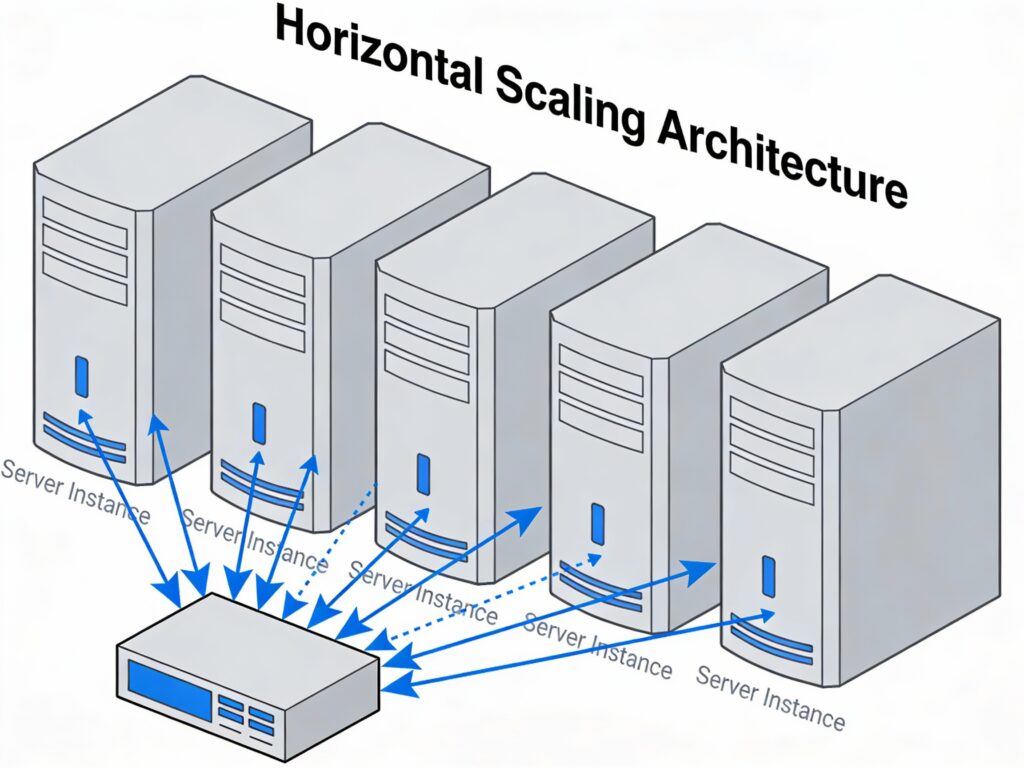
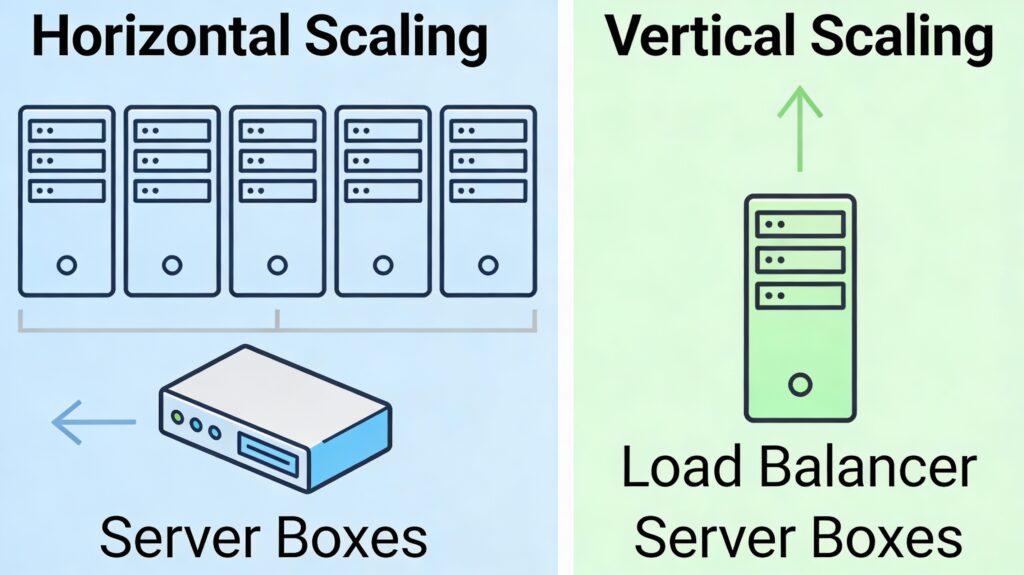
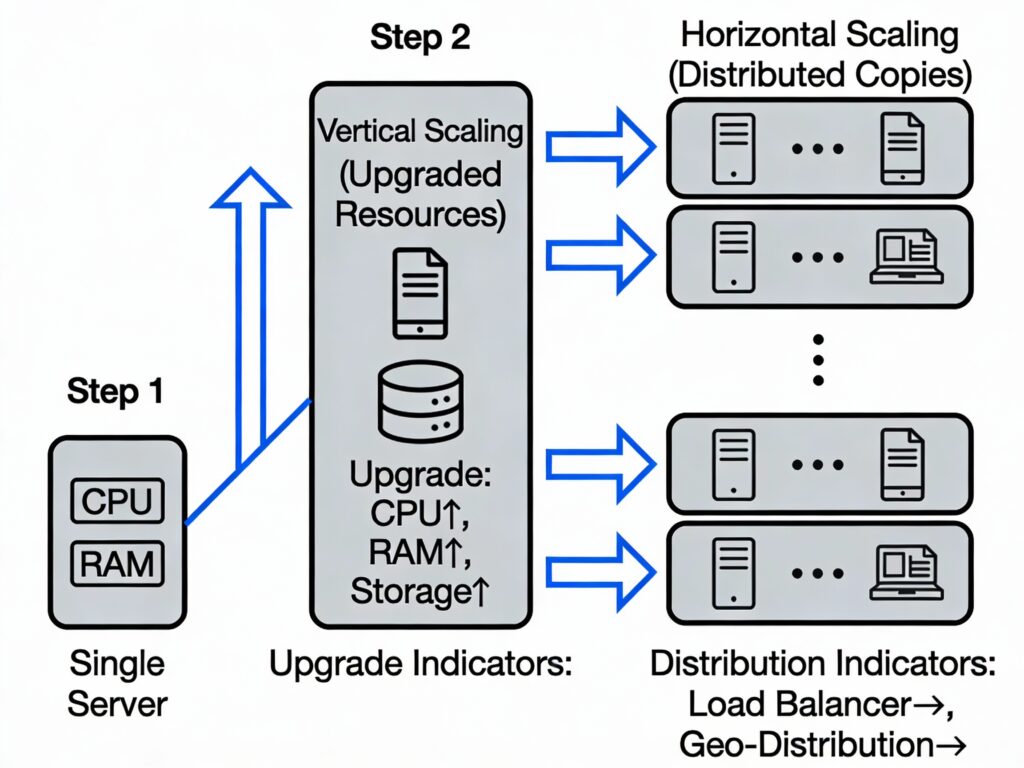
Horizontal scaling, also called scaling out, refers to adding more machines, nodes, or instances to your infrastructure. Instead of making one server more powerful, you add additional servers to share the workload. Think of it like opening more checkout lanes at a grocery store rather than speeding up a single lane.
How Horizontal Scaling Works
In horizontal scaling, multiple servers handle portions of incoming requests. A load balancer sits in front of these servers, distributing traffic intelligently across them. Each server runs an identical copy of your application, and the load balancer ensures no single machine becomes overwhelmed.
For example, if your e-commerce platform experiences a traffic spike during a holiday sale, horizontal scaling automatically adds new server instances to handle the increased load. When demand returns to normal, these instances are removed, and you’re charged only for what you used.
Key components in horizontal scaling include:
- Nodes or instances: Individual servers handling workloads
- Load balancers: Distribute incoming traffic across multiple nodes
- Containers and orchestration: Tools like Kubernetes manage deployment and scaling
- Health checks: Continuous monitoring to remove failed servers from rotation
Horizontal scaling is the default approach in cloud-native architectures. AWS auto-scaling groups, Kubernetes Horizontal Pod Autoscalers (HPA), and managed container services all rely on this principle.
What Is Vertical Scaling?
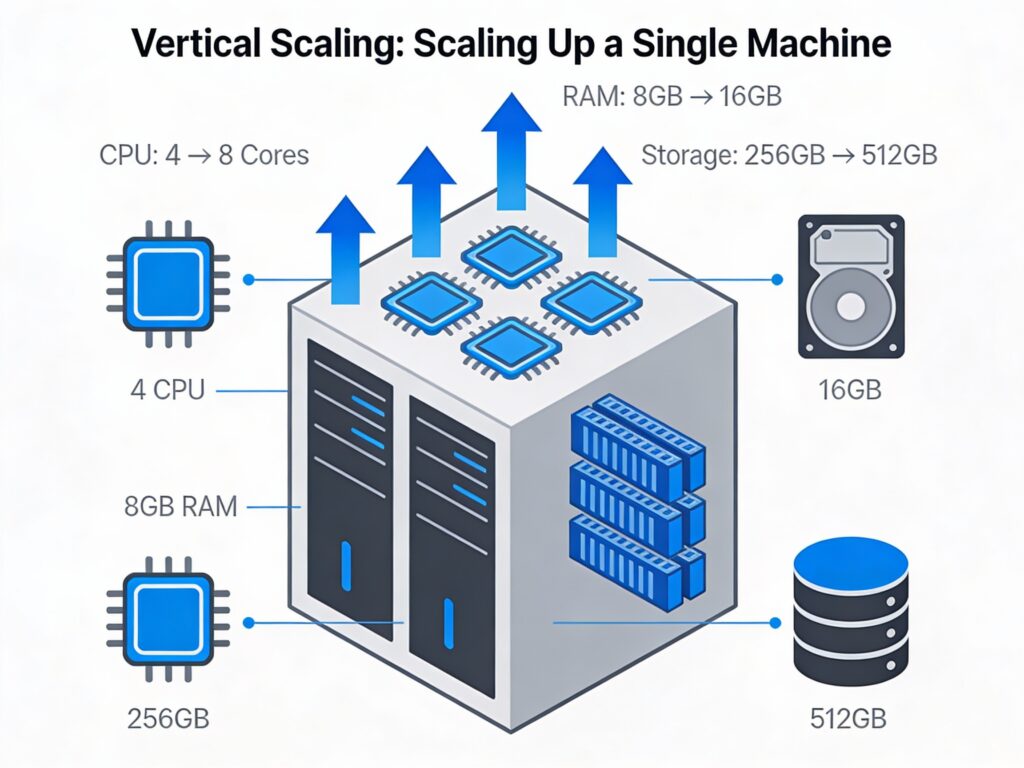
Vertical scaling, also called scaling up, refers to adding more resources (CPU, RAM, storage, network capacity) to an existing server. Rather than adding new machines, you upgrade the machine you already have.
How Vertical Scaling Works
Vertical scaling is straightforward: you identify a performance bottleneck on your server, then upgrade the hardware. For instance, if your database server runs out of memory, you add more RAM. If CPU utilization is maxed out, you migrate to a larger instance type with more CPU cores.
In cloud environments, vertical scaling might mean moving from an AWS t3.medium instance (2 vCPU, 4 GB RAM) to a t3.xlarge (4 vCPU, 16 GB RAM). For on-premises systems, it means physically installing more memory or upgrading the server entirely.
The challenge with vertical scaling is hardware limits. Eventually, you hit the maximum resources available for a single machine. Additionally, scaling up often requires downtime, meaning your service goes offline during the upgrade.
Horizontal Scaling vs Vertical Scaling: Quick Comparison
| Aspect | Horizontal Scaling | Vertical Scaling |
|---|---|---|
| Definition | Add more servers to share load | Upgrade resources on existing server |
| Architecture | Distributed across multiple nodes | Single, more powerful machine |
| Scalability Limits | Virtually unlimited | Capped by hardware capacity |
| Fault Tolerance | High; one node failure doesn’t crash system | Low; single point of failure |
| Downtime | Minimal to none; old servers keep running | Often requires downtime for upgrades |
| Initial Cost | Higher; multiple servers needed | Lower; upgrade existing hardware |
| Long-Term Cost | More cost-effective at scale | Becomes expensive with growth |
| Complexity | High; requires load balancing, orchestration | Low; less infrastructure to manage |
| Code Changes | May require refactoring for distributed systems | Typically no code changes needed |
| Use Cases | High-traffic apps, microservices, global systems | Monolithic apps, predictable workloads |
Key Differences Between Horizontal and Vertical Scaling
Architecture Differences
Horizontal scaling fundamentally changes how your application is designed. With horizontal scaling, your system must be stateless—each server should process requests independently without relying on data stored on a specific machine. This stateless design enables load balancers to direct any request to any server.
Vertical scaling, by contrast, preserves a centralized architecture. Everything runs on one (or a few) powerful machines, so applications can maintain local state, use simple in-memory caching, and avoid complex inter-server communication.
This architectural difference is profound. Migrating from monolithic to horizontally scalable architecture often requires breaking apart tightly coupled components into microservices—a significant undertaking.
Performance & Latency Considerations
Horizontal scaling introduces inter-node communication overhead. When services on different servers need to exchange data, network latency becomes a factor. A single powerful server (vertical scaling) communicates internally within a single machine, which is orders of magnitude faster than network calls.
However, modern cloud infrastructure and optimized load balancers minimize this latency. For most web applications, the trade-off is worthwhile: a slightly higher per-request latency is acceptable if it means your system can handle 100x more traffic.
Vertical scaling excels in scenarios requiring ultra-low latency—for example, high-frequency trading systems or real-time gaming servers where every millisecond counts.
Cost & Infrastructure Efficiency
Initial costs: Vertical scaling is cheaper to start. Upgrading one server costs less than buying multiple new servers.
Long-term costs: Horizontal scaling becomes more cost-efficient at scale. Cloud providers charge by the instance, so if you need 10 mid-range instances, you pay less than if you needed one ultra-powerful server. High-end hardware has diminishing returns on performance while increasing costs exponentially.
In cloud environments, auto-scaling amplifies the efficiency of horizontal scaling. You pay only for servers running during peak hours, then scale down during off-peak times. Vertical scaling doesn’t offer this flexibility—you’re always paying for the maximum capacity you provisioned.
Fault Tolerance & Reliability
Horizontal scaling provides built-in redundancy. If one server fails, the load balancer stops sending traffic to it, and other servers absorb the load. Users experience no disruption.
Vertical scaling creates a single point of failure. If your single large server fails, the entire system goes down until the server is repaired or replaced. You can mitigate this with database replication or backup systems, but the core application is still vulnerable.
Operational Complexity & Management
Managing horizontal scaling requires more sophistication:
- Load balancer configuration: Ensuring traffic is distributed fairly
- Service discovery: Knowing which instances are healthy and available
- Data consistency: Managing state across multiple nodes
- Monitoring: Tracking metrics across multiple machines
- Orchestration: Using tools like Kubernetes to manage deployments
Vertical scaling is operationally simpler. You upgrade the server, test it, and you’re done. No complex orchestration needed.
However, this simplicity comes at a cost: as your system grows, managing a single large server becomes a bottleneck itself.
When to Use Horizontal Scaling
High-traffic applications: If your application regularly handles thousands or millions of concurrent users, horizontal scaling is necessary. No single server can support that load efficiently.
Cloud-native and microservices architectures: Horizontal scaling is the natural fit for containerized applications, Kubernetes clusters, and microservices. These architectures are built from the ground up to scale out.
Global applications and distributed systems: If your users span multiple continents, horizontal scaling allows you to deploy instances in different regions, reducing latency for users worldwide and improving fault tolerance across geographic regions.
Unpredictable workloads: Applications with variable traffic patterns benefit from horizontal scaling’s elasticity. Demand spikes don’t require manual intervention; auto-scaling rules handle it automatically.
Real-world example: Netflix handles over 250 million subscribers worldwide using horizontal scaling across AWS regions. Each service (streaming, recommendations, billing) scales independently based on demand.
When to Use Vertical Scaling
Monolithic applications: Legacy systems built as a single codebase struggle with horizontal scaling. They require architectural refactoring to distribute work across servers. Vertical scaling offers a simpler upgrade path without major code changes.
Predictable workloads: If your traffic is stable and predictable (such as internal tools or scheduled batch processing), you can vertically scale to a fixed capacity that covers your needs, avoiding the complexity of dynamic auto-scaling.
Low-latency, single-instance systems: Applications requiring ultra-low latency—such as real-time trading platforms, high-frequency gaming servers, or in-memory databases—benefit from vertical scaling’s performance advantage.
Cost-sensitive early-stage projects: Startups with limited budgets may start with vertical scaling. A single large server is cheaper than multiple smaller ones when you don’t yet know if the product will succeed.
Horizontal Scaling vs Vertical Scaling in Cloud Environments
Cloud platforms like AWS, Azure, and Google Cloud have fundamentally changed how we think about scaling. Traditional on-premises scaling required purchasing hardware upfront; cloud scaling is elastic and on-demand.
Auto-Scaling and Elasticity
Modern cloud platforms offer auto-scaling capabilities that implement horizontal scaling automatically:
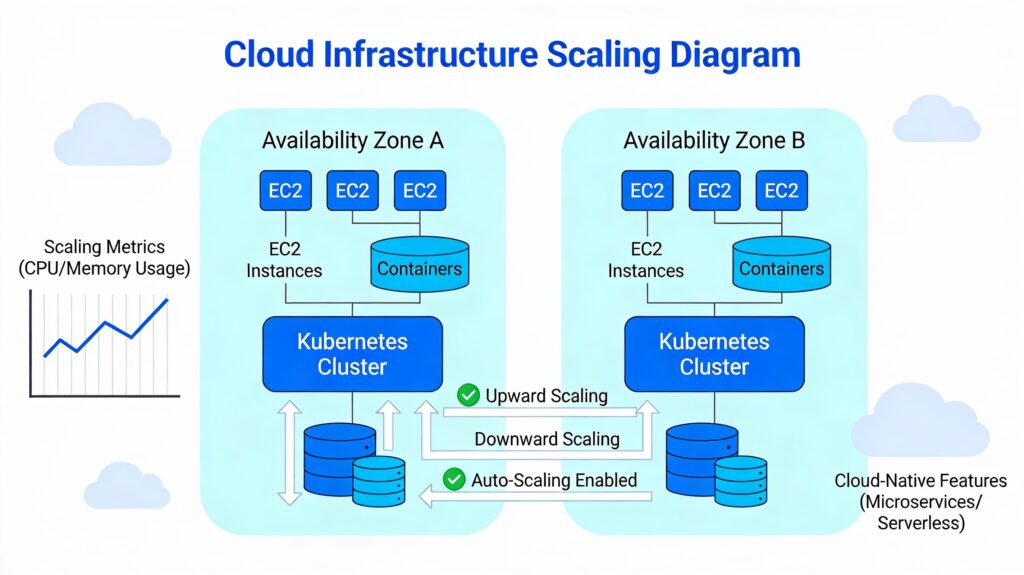
- AWS Auto Scaling Groups: Automatically add or remove EC2 instances based on load metrics (CPU, memory, or custom metrics)
- Kubernetes Horizontal Pod Autoscaler (HPA): Scales the number of pod replicas based on resource usage
- Azure Virtual Machine Scale Sets: Automatically adjust instance count based on defined rules
This automation makes horizontal scaling more practical than ever. You define scaling rules (e.g., “add an instance when CPU exceeds 70%”), and the cloud platform handles the rest.
Cost Optimization Considerations
Cloud cost management requires balancing horizontal and vertical scaling:
- Spot instances and preemptible VMs: AWS Spot Instances and Google Preemptible VMs are deeply discounted (60-90% off) but can be terminated by the cloud provider. They’re ideal for fault-tolerant horizontal scaling.
- Reserved instances: Committing to 1-3 year terms locks in discounts but requires predicting capacity. Works well with vertical scaling for predictable workloads.
- Serverless alternatives: Platforms like AWS Lambda eliminate scaling decisions entirely; the cloud provider handles both horizontal and vertical scaling transparently.
Is There a Third Option? Diagonal Scaling
A growing trend in modern architecture is diagonal scaling—a hybrid approach combining the best of both worlds.
How Diagonal Scaling Works
Diagonal scaling starts with vertical scaling: you upgrade a single server to optimize its resource utilization and performance. Once that optimized server reaches a capacity threshold (either performance or cost), you shift to horizontal scaling by cloning the optimized instance across multiple servers.
Example: Diagonal Scaling at Airbnb
Airbnb began with vertical scaling on AWS EC2 instances to handle increasing Ruby on Rails traffic. As demand grew beyond what a single large instance could handle, they transitioned to a service-oriented architecture, horizontally scaling services like search and bookings across regions. For compute-intensive services (payments, real-time messaging), they retained large instances. This hybrid strategy balanced cost, performance, and availability.
Benefits of Diagonal Scaling
- Delays operational complexity: You start simple with vertical scaling, then introduce distributed system complexity only when necessary
- Optimizes cost: Use powerful instances only for services that need them; use commodity hardware for stateless services
- Improves resilience: Combines redundancy (horizontal) with performance (vertical)
- Supports gradual migration: Eases the transition from monolithic to microservices architecture
Drawbacks of Diagonal Scaling
- Higher cost: Expensive combination of large instances and multiple smaller instances
- Increased complexity: Managing two scaling strategies requires more sophisticated architecture and monitoring
- Uneven performance: Mixing instance sizes can cause inconsistencies across services
Conclusion
Horizontal scaling vs vertical scaling isn’t an either-or decision. The right strategy depends on your application architecture, growth expectations, cost constraints, and technical sophistication.
Choose horizontal scaling if you’re building cloud-native applications, expect significant growth, or need global distribution. The slight complexity overhead is well worth the scalability, resilience, and long-term cost efficiency.
Choose vertical scaling if you’re managing legacy monolithic systems, have stable predictable workloads, or are in early-stage development where simplicity matters more than infinite scalability.
Consider diagonal scaling if you want flexibility—start simple and evolve toward distributed architecture as your system grows.
Modern cloud environments have made horizontal scaling more accessible than ever through auto-scaling services, container orchestration, and serverless computing. Yet vertical scaling remains valuable for specific use cases where simplicity, performance, or cost efficiency in the short term outweigh the need for unlimited scale.
Regardless of which approach you choose, understanding the trade-offs empowers you to architect systems that are performant, reliable, and cost-effective as you grow.
FAQ: Horizontal Scaling vs Vertical Scaling
Horizontal scaling adds more servers to distribute load; vertical scaling adds more resources (CPU, RAM) to existing servers. Horizontal scaling scales out, while vertical scaling scales up. Horizontal scaling supports unlimited growth but is more complex; vertical scaling is simpler but limited by hardware capacity.
Vertical scaling is cheaper initially, but horizontal scaling becomes more cost-effective at scale. In cloud environments with auto-scaling, you pay only for resources you use, making horizontal scaling the more economical long-term choice for growing applications.
Yes, horizontal scaling aligns with cloud-native design principles. Cloud platforms are built to support elastic, distributed workloads. Auto-scaling, containerization, and microservices all leverage horizontal scaling to deliver the agility and cost efficiency that cloud computing promises.
Vertical scaling struggles with traffic spikes because upgrading hardware takes time and often requires downtime. Horizontal scaling handles spikes gracefully through auto-scaling rules that add instances in seconds, maintaining service availability.
Absolutely. This hybrid approach, called diagonal scaling, combines the simplicity of vertical scaling with the resilience of horizontal scaling. Start with a powerful instance (vertical), then clone it across multiple nodes (horizontal) as demand grows. It’s an effective strategy for evolving architectures.
Scaling adds resources to handle increased demand. Load balancing distributes traffic across existing resources. Together, they ensure your system remains responsive: scaling adds capacity, and load balancing ensures that capacity is used efficiently.
Comments