
If you’ve been working with Runpod for your GPU computing needs, you’ve likely appreciated its affordability and simplicity. But what happens when your workload requirements shift, or you need features that extend beyond raw compute power? Maybe you’re looking for better uptime guarantees, integrated storage solutions, or enterprise-grade support. The GPU cloud landscape has matured considerably, and several compelling alternatives have emerged that address specific gaps Runpod leaves open.
This guide walks you through seven solid alternatives to Runpod, examining their strengths, pricing models, and ideal use cases. Whether you’re prototyping a new machine learning model, fine-tuning a large language model at scale, or deploying production inference workloads, there’s likely a better-fit platform for your specific needs.
Why Consider Alternatives to Runpod?
Runpod has built its reputation on competitive per-second pricing and access to premium GPUs like the H100 and A100 across 30+ global regions. However, the platform comes with certain trade-offs worth understanding:
Community Cloud vs. Secure Cloud Complexity: Runpod’s dual-tier model forces a choice between cost-effectiveness and reliability. Community Cloud instances rely on peer-to-peer infrastructure maintained by vetted individual hosts, which means lower prices but also the absence of formal uptime guarantees, redundancy, or compliance certifications. Secure Cloud costs significantly more but runs on Tier III+ data centers with proper SLAs.
Limited Integration: Unlike major cloud providers, Runpod is primarily a compute platform. It doesn’t bundle storage, databases, networking, or container orchestration into a cohesive offering. You’ll need to manage integrations with S3-compatible storage or other services separately.
Infrastructure Management Overhead: While Runpod simplified GPU access compared to DIY approaches, users still handle Docker configurations, image management, and networking setup themselves. Some teams prefer managed platforms that abstract away this complexity.
These limitations don’t make Runpod a poor choice—they simply mean it’s optimized for specific use cases (like cost-conscious experimentation) rather than being a universal solution.
The Top Runpod Alternatives
1. Vast.ai: Budget-First GPU Marketplace
Best for: Hobbyists, side projects, proof-of-concepts, and anyone who prioritizes cost above all else.
Vast.ai operates as a decentralized GPU marketplace connecting individual hosts and data centers with users seeking affordable compute. This model creates pricing that’s typically 3-5x cheaper than traditional cloud providers.
- RTX 3070: $0.05/hr
- RTX 4090: $0.35/hr
- RTX A6000: $0.45/hr
- A100 SXM4 (80GB): $0.68/hr
The marketplace pricing model means you’ll find wide variation based on location and demand. You can filter instances by region, GPU type, and exact specifications. Vast.ai offers 40+ data center locations globally and supports over 10,000 GPUs from various providers.
Key Features:
- Per-second billing (you pay only for the time you use)
- Large selection of GPU types from budget-friendly RTX 3070 to high-end A100
- Pre-built templates for popular frameworks (PyTorch, TensorFlow, CUDA)
- SOC2 certification for security compliance
- Flexible storage billing (charged only when the instance exists)
Trade-offs: The marketplace model means less predictability—your preferred GPU configuration might not always be available. Support is community-driven rather than enterprise-grade. You’re also responsible for managing your environment more directly than on some managed platforms.
2. Lambda Labs: Enterprise-Grade Training Cloud
Best for: Teams training large models, running production fine-tuning pipelines, and organizations that value per-minute billing and dedicated support.
Lambda Labs positions itself as the “AI Developer Cloud” built by researchers for researchers. The platform specializes in multi-GPU training setups and provides clear, transparent pricing without the complexity of spot vs. on-demand distinctions that plague other providers.
- RTX A6000: $0.80/hr
- A100 40GB: $1.29/hr
- H100 SXM (single GPU): $3.29/hr
- A100 SXM (80GB, 8-GPU node): $1.79/hr
- B200 SXM6 (single GPU): $4.99/hr
Lambda Labs bills per-minute, meaning you’re charged in 60-second increments, which is finer-grained than hourly competitors but coarser than per-second platforms like Runpod.
Key Features:
- Simple instance templates (1x, 2x, 4x, 8x GPU configurations)
- 1-Click Clusters for large-scale distributed training
- High-speed InfiniBand networking for multi-node workloads
- NVLink support for optimal GPU communication
- 24/7 support and white-glove onboarding for enterprise customers
- Storage at $0.20/GB/month (inline storage, no separate egress fees)
Trade-offs: Higher pricing than Vast.ai or Runpod’s Community Cloud for equivalent GPUs. The simplicity of their offering means fewer customization options compared to bare-metal providers.
3. CoreWeave: High-Performance Kubernetes Infrastructure
Best for: Production AI workloads, distributed training, multi-node deployments, and teams requiring Kubernetes orchestration and enterprise networking.
CoreWeave built its platform specifically for AI/ML workflows, offering bare-metal GPU infrastructure with Kubernetes-native deployment options. Unlike Runpod (which is more container-agnostic), CoreWeave assumes you’re orchestrating complex workloads across multiple machines.
- H100 PCIe (GPU component only): $4.25/hr
- 8-GPU H100 HGX nodes: ~$49.24/hr (~$6.15 per GPU when bundled with CPU/RAM)
- A100 pricing varies based on CPU/RAM allocation
- Reserved Capacity: up to 60% discounts for 1+ year commitments
CoreWeave’s à la carte model means you pay separately for GPU, CPU cores, RAM, and storage. This flexibility allows right-sizing your instance but adds complexity to cost estimation.
Key Features:
- Bare-metal GPU access (not virtualized) for maximum performance
- Kubernetes-native architecture with automatic scaling
- Customizable storage topologies and network configurations
- No data ingress or egress charges (transparent pricing)
- Real-time observability tools for GPU and system performance
- Committed usage discounts up to 60%
- MLOps team for infrastructure support
Trade-offs: More complex pricing model requires careful calculation. Steeper learning curve if you’re unfamiliar with Kubernetes. Higher per-GPU cost than budget options like Vast.ai, though competitive with enterprise offerings.
4. Paperspace (Now DigitalOcean Gradient): Integrated ML Platform
Best for: Teams wanting to combine GPU compute with storage, networking, and databases; those preferring pre-configured environments over manual setup.
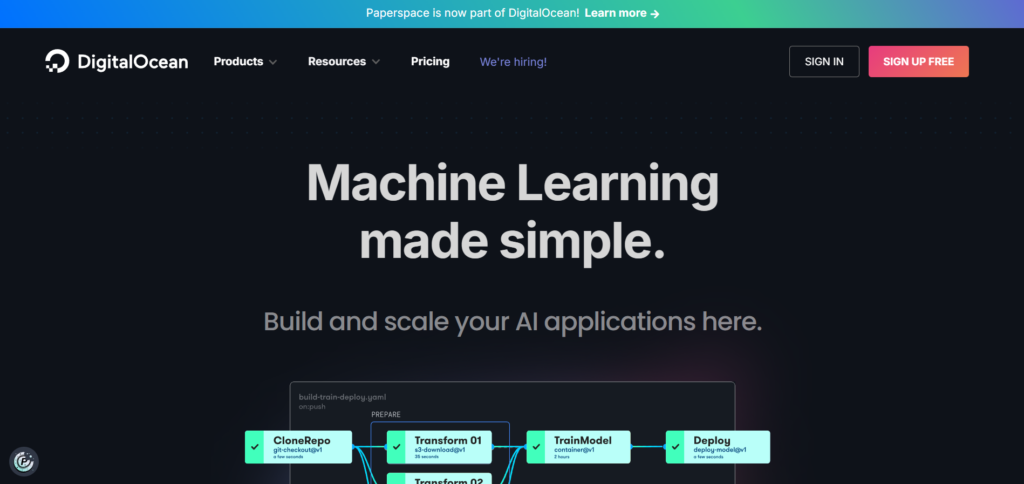
Paperspace was acquired by DigitalOcean and rebranded as Gradient, consolidating GPU compute with a broader cloud service portfolio. This integration is a key differentiator—you’re not bolting compute onto unrelated services but working within a unified platform.
Key Features:
- Pre-configured GPU instances with drivers, CUDA, cuDNN, and ML frameworks pre-installed
- Seamless integration with DigitalOcean’s managed databases, block storage, and object storage
- Notebook environments for rapid prototyping (Jupyter-like interface)
- Job scheduling without manual server management
- Wide GPU selection: NVIDIA H100, L40S, A100, RTX 6000, A40
- Team collaboration tools with permission management
- Automatic versioning and lifecycle management for reproducibility
Trade-offs: Pricing not as transparent as competitors—you’ll need to contact sales for quote-based enterprise pricing. Smaller GPU selection than hyperscalers like AWS or GCP. Limited to DigitalOcean’s data center footprint compared to AWS or Azure.
5. Google Cloud Platform (Compute Engine): Hyperscaler Option
Best for: Organizations already invested in Google Cloud ecosystem, those needing integration with BigQuery, Vertex AI, or other GCP services; large-scale enterprise deployments.
Google Cloud offers GPUs (including latest-generation B200 and GB200 chips) integrated into their broader Compute Engine VMs. Pricing follows standard cloud models with on-demand, committed discounts, and preemptible instances.
Key Features:
- Access to cutting-edge NVIDIA GPUs: GB200, B200, H200
- Accelerator-optimized VM families with GPUs pre-attached
- Integration with Vertex AI (managed ML platform), BigQuery, and GCP services
- Committed Use Discounts (up to 70% for 3-year terms)
- Preemptible instances (interruptible) at 60-70% discount
- Jump Start Solutions with pre-built templates for common use cases
- Global data center footprint with low-latency routing
Trade-offs: Pricing varies by region and instance type; GCP is rarely the cheapest option for pure GPU compute. Steep learning curve for teams unfamiliar with Google Cloud.
6. AWS EC2: The Industry Standard
Best for: Enterprises with existing AWS investments, teams needing the broadest ecosystem of services, organizations requiring specific compliance features.
Amazon’s EC2 isn’t specialized for GPU workloads like Runpod, but its flexibility, global scale, and ecosystem depth make it worth considering for serious production deployments.
Key Features:
- Wide GPU selection: H100, A100, H200, and older-generation GPUs
- Spot Instances at up to 90% discount (interruptible)
- Reserved Instances with up to 72% savings on 1-3 year commitments
- Savings Plans for flexible, long-term commitments
- Integration with SageMaker (managed ML), Batch, Lambda, and 200+ other services
- Compliance features (VPC, security groups, encryption at rest/in-transit)
- Global footprint with 30+ regions
Trade-offs: Pricing complexity (on-demand, spot, reserved, savings plans); requires careful optimization to avoid surprises. Not specialized for ML workloads like Runpod, so you handle more infrastructure yourself.
7. Thunder Compute: Developer-Friendly Prototyping and Production
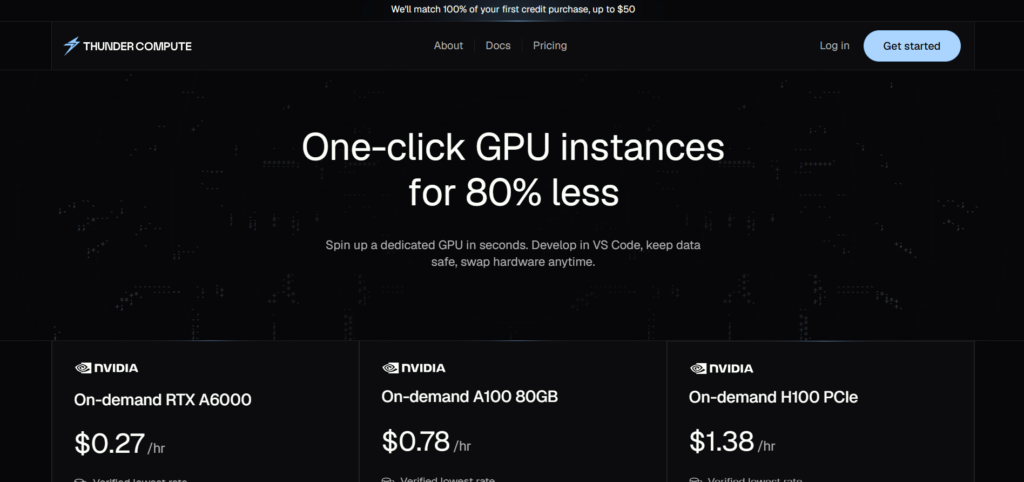
Best for: Teams wanting to prototype quickly but easily transition to production; developers who prefer VS Code integration and simple SSH setup.
Thunder Compute distinguishes itself by offering explicit “Prototyping Mode” (lower cost, lower uptime) and “Production Mode” (higher uptime, higher cost) rather than forcing a single tier. The VS Code integration is particularly useful for developers.
Pricing Example:
Thunder Compute pricing is competitive with Runpod but emphasizes a clear tiering system. Exact rates are published on their site, with prototyping instances costing less than production equivalents.
Key Features:
- VS Code integration for launching instances directly from your IDE
- Simple instance templates (Ollama, Comfy UI, and other popular tools pre-configured)
- GPU sharing via network interface for cost optimization
- Clear separation between prototyping (lower-cost, variable uptime) and production (higher SLA, higher cost)
- No SSH key hassle (VS Code handles authentication)
- Simple, transparent per-hour pricing
Trade-offs: Smaller GPU selection than hyperscalers. Limited global presence compared to AWS/GCP. Newer platform with smaller community compared to Runpod.
Quick Comparison Table
| Provider | Cheapest Option | Best For | Billing Model | Key Strength |
|---|---|---|---|---|
| Vast.ai | $0.04/hr (RTX 3070) | Budget projects | Per-second | Lowest cost |
| Lambda Labs | $0.75/hr (A10) | Model training | Per-minute | Enterprise support |
| CoreWeave | $4.25/hr (H100) | Production workloads | Per-hour + reserved | Kubernetes-native |
| Paperspace | Varies (contact sales) | Integrated platform | Per-second | Storage/database integration |
| Google Cloud | Varies by region | GCP ecosystem | Per-second + reserved | Cutting-edge GPUs |
| AWS EC2 | ~90% off spot | Enterprise deployments | Per-second + reserved | Broadest ecosystem |
| Thunder Compute | Varies | Rapid development | Per-hour | VS Code integration |
Specialized Use Case: WaveSpeedAI for Inference Workloads
If your primary need is running inference (rather than training), WaveSpeedAI deserves mention. It offers 600+ pre-deployed models accessible via API, eliminating the need to manage GPU infrastructure entirely.
Pricing Model: Pay-per-token usage (no hourly fees, no idle costs)
Key Advantage: Zero idle time costs. You’re charged only when your API is actively processing requests. For inference-heavy workloads, this can result in 50-80% cost savings compared to hourly GPU rental.
Trade-off: Limited to their model library (though they add new models regularly). Not suitable if you have custom-trained models requiring specialized deployment.
Making Your Decision: Selection Framework
Choose Vast.ai if:
- Budget is your primary concern
- You’re running short experiments or hobby projects
- You don’t need formal support or SLAs
- You’re comfortable with marketplace pricing variability
Choose Lambda Labs if:
- You’re training models seriously (days to weeks of compute)
- You value enterprise support and clear, transparent pricing
- Multi-GPU, distributed training is your primary need
- You want per-minute billing without per-second granularity
Choose CoreWeave if:
- Production inference or training is your use case
- You need Kubernetes orchestration
- You’re willing to pay for reliability and bare-metal performance
- Networking and customization matter to you
Choose Paperspace if:
- You want an integrated, managed platform (no infrastructure overhead)
- Storage, databases, and networking alongside compute matter
- You prefer pre-configured environments over DIY setup
- You’re already in or considering the DigitalOcean ecosystem
Choose Google Cloud or AWS if:
- Enterprise compliance and integrations are requirements
- You’re already invested in their ecosystems
- You need the broadest service portfolio
- Cost optimization through reserved instances is worthwhile
Practical Migration Tips
Containerization Compatibility: Most alternatives support Docker and Kubernetes, making workload migration straightforward. If you’re using Runpod’s standard container format, you can typically port images to competitors with minimal changes. Ensure CUDA versions match across platforms.
Cost Modeling: Before migrating, estimate your compute requirements. Most providers offer free credits or trials—test your actual workload on the target platform for 1-2 weeks to validate cost assumptions.
Pricing Monitoring: GPU pricing changes seasonally based on demand. Set a quarterly review schedule to re-benchmark costs across platforms. Tools like CloudOptimo or similar cost-tracking services can help.
Data Transfer Costs: Consider data egress fees when comparing providers. Some platforms charge for moving data out of their infrastructure; others (CoreWeave, for instance) don’t. If you’re moving large datasets regularly, factor this into your decision.
Conclusion
Runpod’s role in the GPU cloud landscape is secure as an affordable, simple platform for experimentation. But the ecosystem has matured, offering specialized platforms for nearly every use case. Whether you prioritize cost (Vast.ai), enterprise support (Lambda Labs), production reliability (CoreWeave), or platform integration (Paperspace), there’s a solid alternative available.
The best choice depends on your specific constraints: team size, workload type, budget, compliance requirements, and acceptable operational overhead. Most platforms offer free trials or credits—invest a few hours testing your actual workload on 2-3 candidates before committing to a migration. The effort pays dividends in cost savings and improved developer experience.
Frequently Asked Questions
Absolutely. Runpod remains competitive for cost-conscious teams, rapid experimentation, and workloads tolerant of Community Cloud’s variability. The choice between Runpod and alternatives depends on your specific requirements, not Runpod’s quality.
Mostly yes. Standard NVIDIA Docker images work across all platforms. The key is ensuring CUDA version compatibility. Test your image on the target platform before full migration.
AWS, Google Cloud, and Azure offer formal SLAs (typically 99.9-99.99% uptime). CoreWeave and Lambda Labs offer strong uptime guarantees without hyperscaler overhead. Vast.ai and Runpod Community Cloud offer no formal guarantees.
Use spot/preemptible instances for fault-tolerant workloads (up to 90% savings). Reserve capacity for predictable, long-running workloads (60-72% savings). Keep workloads short where possible—every extra second on an hourly instance costs money if that hour will otherwise be idle.
Common hidden costs include storage fees (check if charged only when instance exists or also when stopped), data egress/ingress fees, and networking costs. CoreWeave, Paperspace, and AWS are transparent about these. Always read the fine print on storage billing.
Paperspace and Thunder Compute offer the fastest time-to-first-GPU due to pre-configured environments. Vast.ai is straightforward but requires more manual setup. Runpod still ranks highly for simplicity despite the Community/Secure Cloud decision.
Yes, but be strategic. Reserved instances work well for predictable, long-running workloads. For batch jobs with variable duration, on-demand or spot instances are more cost-effective.
Lambda Labs and CoreWeave excel here due to their multi-GPU orchestration and enterprise support. Vast.ai works if cost is paramount and you’re comfortable with variability.
Note: Pricing and product information correct as of February 2, 2026, and subject to change. Always verify current pricing directly with providers before making purchasing decisions.
Comments